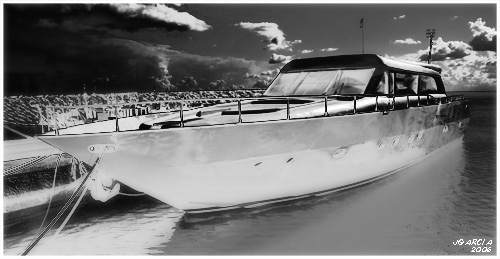
Son varios los amigos que me han dicho que Barco de Recreo les sugiere la estética del famoso comic Sin City (popularizada recientemente por Bruce Willis).
Bueno, respondiendo a varias peticiones intentaré explicar como obtuve ese resultado:
1.- Abrir imagen con PhotoShop.
I will now explain how I achieved that result:
1.- Open the image in PhotoShop.
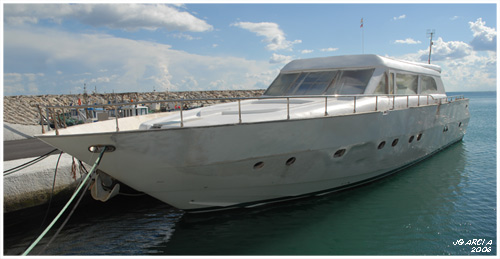
2.- Convertimos a blanco y negro utilizando la acción Ilford Delta 400 Pro & 3200
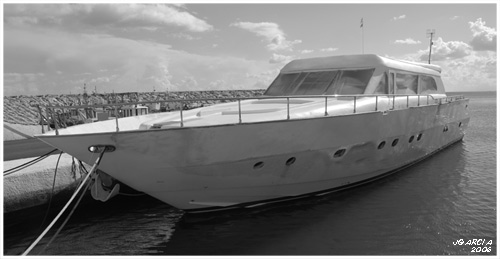
3.- Capa/Nueva capa de ajuste/Curvas.
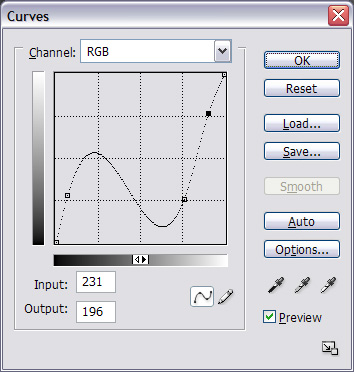
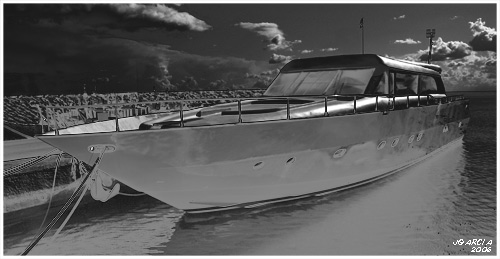
4.- Capa/Nueva capa de ajuste/Curvas.
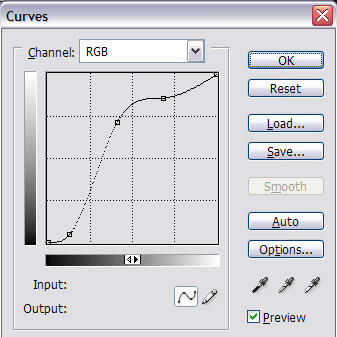
5.- Con el pincel y color frontal negro oscurecemos las zonas que quedaron demasiado sobrexpuestas.
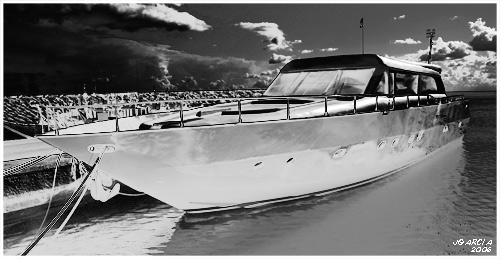
6.- Creamos una nueva capa. Pulsamos Ctrol+Shift+Alt+E, de esa manera combinaremos todas las capas visibles en la recien creada capa.
7.- Duplicamos la capa (Ctr+j).
8.- Filtro/Desenfocar/Filtro gaussiano. Radio 6.
9.- Reducimos Opacidad de la capa a 35%.
7.– Duplicate the layer (Ctrl +J)
8.– Filter/Defocus/Gaussian Filter. Radius 6.
9.– Reduce Opacity of the layer to 35%.
Wow!! Increible, gracias por compartir, Juan. El efecto del cielo y el agua es surrealista.
L
Muy interesante y muy util, muchisimas gracias
Bueno, qué maravilla de tutorial. Todavía no he explorado lo que se puede hacer con ese tipo de curvas (por ahroa niveles, voy poco a poco), pero es genial lo que haces. Muchísimas gracias por servirnos de inspiración a tantos.
Un abrazo,
diego.
Me alegro que os resulte interesante.
Un abrazo, amigos.
Interesante.. no sabía que realizando dos pasadas de «curvas», se podían realizar ese efecto.
muchas gracias por compartir,
un saludo
Gracias Juan!
gracias por seguir enseñandonos pequeñas cosas.
un abrazo
[…] tiples webs de tutoriales que hay, pues os dejo el enlace para que no os lo perdáis. :: Efecto Sin City ::
Escrito en: Recursos
[…]
[…] Press.com weblog Home About links for 2006-04-07 April 7, 2006 “Sin City” PS effect (tags: photoshop tutorial) Torrent Search Engine (tags: bitto […]
[…]Juan García Gálvez has a nice wee effect for turning colour photos into high contrast black & whites, a la the style of Sin City[…]
Que bueno, me encanta esa peli, voy a probar esta tecnica a ver que me sale .Gracias.Saludos
[…] 06 -«> En esta serie apliqué durante el postprocesado un […]
[…] Attain that «Sin City» high contrast look with Photoshop High contrast Sin City tutorial for photoshop.[…]
[…] Efecto Sin City […]